
Last updated on
Oct 31, 2026

CA UCSB Rental Agreement for Room in a Private free printable template
pdfFiller is not affiliated with any government organization

Fill out
Complete the form online in a simple drag-and-drop editor.

eSign
Add your legally binding signature or send the form for signing.

Share
Share the form via a link, letting anyone fill it out from any device.

Export
Download, print, email, or move the form to your cloud storage.
Why pdfFiller is the best tool for your documents and forms


End-to-end document management
From editing and signing to collaboration and tracking, pdfFiller has everything you need to get your documents done quickly and efficiently.
Accessible from anywhere
pdfFiller is fully cloud-based. This means you can edit, sign, and share documents from anywhere using your computer, smartphone, or tablet.
Secure and compliant
pdfFiller lets you securely manage documents following global laws like ESIGN, CCPA, and GDPR. It's also HIPAA and SOC 2 compliant.
What is CA UCSB Rental Agreement for Room in a Private
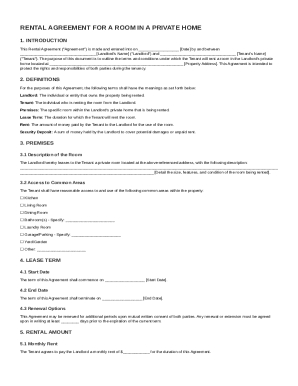
The Rental Agreement for Room in a Private Home is a legal document used by property providers and tenants to formalize the terms of renting a room in a private residence in California.
pdfFiller scores top ratings on review platforms




very easy to use and a very complete service.
This has been helpful in grant submission and creating documents from multiple pdf's.
Who needs CA UCSB Rental Agreement for Room in a Private?
Explore how professionals across industries use pdfFiller.

CA UCSB Rental Agreement for Room in a Private is needed by:
-
Landlords renting out a room
-
Tenants seeking a room in a private home
-
Real estate agents facilitating rentals
-
Property management companies
-
Individuals involved in residential leasing
Comprehensive Guide to CA UCSB Rental Agreement for Room in a Private
What is the Rental Agreement for a Room in a Private Home?
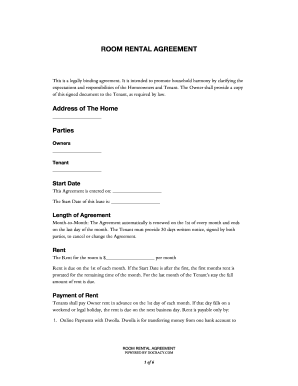
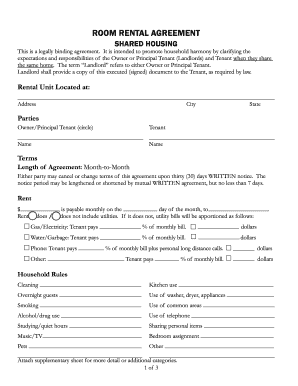
The Rental Agreement for a room in a private home is a legally binding document utilized in California real estate to formalize the rental arrangement between tenants and property providers. It establishes the specific terms and functions necessary to ensure both parties are aware of their rights and obligations. This agreement is relevant for both individuals seeking housing and those providing room rentals, offering clarity and protection in the rental process.
Having a written agreement benefits both parties by outlining critical aspects such as rent, security deposit, and terms of termination. This written form helps prevent disputes by providing documented guidelines that both parties agree upon, making it essential for a smooth rental relationship.
Purpose and Benefits of the Rental Agreement for Room in a Private Home
The primary purpose of the rental agreement is to clarify the responsibilities of both tenants and property providers, ensuring a clear understanding of the rental relationship. This agreement serves as a safeguard for the rights of both parties, offering peace of mind and legal protection.
It sets specific terms regarding key elements of the rental relationship, including:
-
Security deposits
-
Monthly rent amounts
-
Conditions for termination of the agreement
By having these terms documented, both parties can operate with confidence, minimizing misunderstandings and potential conflicts.
Who Needs the Rental Agreement for Room in a Private Home?
Anyone entering a rental arrangement qualifies as either a property provider or a tenant under California law. This agreement is particularly beneficial for various scenarios, such as:
-
College students seeking temporary housing near campus
-
Individuals looking for short-term accommodations
-
Landlords managing multiple rental properties
By using this rental agreement, landlords can clearly articulate terms and conditions, helping ensure that all responsibilities are met by both the tenant and the provider.
Key Features of the Rental Agreement for Room in a Private Home
In the rental agreement, critical elements are included to ensure clarity in the rental relationship. Key features often consist of:
-
Sections detailing monthly rent
-
Security deposit requirements
-
Termination guidelines and procedures
-
Responsibilities of both parties regarding maintenance and privacy
-
A designated space for signatures from both parties
By incorporating these elements, the agreement shields the rights of both parties while establishing a professional arrangement for room rental.
How to Fill Out the Rental Agreement for Room in a Private Home Online
Filling out the rental agreement online is streamlined by platforms like pdfFiller. To complete the form effectively, follow these steps:
-
Access the rental agreement template on pdfFiller.
-
Fill in required fields such as name, date, and signature.
-
Review each section for accuracy before finalizing.
Ensuring that all information is correct will prevent issues later in the rental process.
How to Sign the Rental Agreement for Room in a Private Home
Signing the rental agreement can be done traditionally or digitally, with both methods acceptable under California law. For efficient signing, follow these guidelines:
-
Understand the difference between digital signatures and wet signatures.
-
Utilize pdfFiller’s eSignature capabilities for secure signing.
-
Ensure that both parties receive an executed copy of the agreement.
Having a signed copy protects both the tenant and the provider's interests in the rental relationship.
Security and Compliance for the Rental Agreement for Room in a Private Home
Concerns about data security are paramount when handling sensitive rental agreements. pdfFiller emphasizes security through the following measures:
-
256-bit encryption for document safety
-
Compliance with HIPAA and GDPR regulations
-
Assurances of privacy for tenant and provider data
These security protocols foster trust among users when sharing important documents online.
Next Steps After Filling Out the Rental Agreement for Room in a Private Home
Once the rental agreement is filled out and signed, there are essential steps to follow:
-
Save the completed PDF for personal records.
-
Download a copy and share it with relevant parties.
-
Keep track of the signed agreement for future reference.
Ensuring these steps are completed promotes smooth compliance with the rental process.
Enhance Your Rental Agreement Experience with pdfFiller
Utilizing pdfFiller for your rental agreements maximizes efficiency and ease of use. Key features include:
-
User-friendly tools for document management and editing.
-
Cloud-based storage for accessing forms anytime, anywhere.
-
Secure options for filling out and eSigning agreements.
By leveraging these features, users can streamline their rental agreement processes while ensuring their information is handled securely.
How to fill out the CA UCSB Rental Agreement for Room in a Private
-
1.Access the Rental Agreement for Room in a Private Home by visiting the pdfFiller website and searching for the form name in the search bar.
-
2.Once you've found the form, click on it to open the fillable document in pdfFiller's interface.
-
3.Before you begin filling out the form, gather necessary information such as the tenant's full name, rental amount, security deposit details, and relevant dates.
-
4.Start by entering the names of the property provider and tenant in the designated fields, ensuring all information is accurate and complete.
-
5.Proceed to input the rental amount and any details regarding the security deposit in their respective sections.
-
6.Fill in the terms and conditions as specified, including agreements regarding maintenance responsibilities and privacy expectations.
-
7.Utilize the toolbar features in pdfFiller to navigate through the form, utilizing tools to highlight or underline key sections as needed.
-
8.Once all fields are filled, review the entire document for completeness and accuracy before finalizing.
-
9.After verification, save your progress using the 'Save' feature, ensuring your information is securely recorded.
-
10.Finally, download the completed Rental Agreement or submit it directly to the tenant through pdfFiller's sharing options for signatures.

Who is required to sign the Rental Agreement?
Both the Property Provider and the Tenant are required to sign the Rental Agreement for it to be valid and enforceable. Signatures indicate that all parties agree to the terms outlined in the document.
Is notarization necessary for this Rental Agreement?
No, notarization is not required for the Rental Agreement for Room in a Private Home in California. Make sure all parties have signed the document for it to be legally binding.
What details should I include about the rental terms?
When filling out the Rental Agreement, include information such as the monthly rent amount, security deposit, duration of the lease, and any specific conditions or responsibilities associated with the rental.
Can the Rental Agreement be modified after it's signed?
Yes, the Rental Agreement can be amended after it has been signed, but changes should be documented in writing and agreed upon by both parties to maintain legal integrity.
How can I obtain a copy of the completed Rental Agreement?
After filling out the Rental Agreement on pdfFiller, you can download it as a PDF or email it directly to the involved parties, ensuring everyone has a copy for their records.
What happens if the Tenant wants to terminate the agreement early?
If a Tenant wishes to terminate the Rental Agreement early, they should refer to the termination conditions specified in the contract. A written notice per the terms of the agreement may be required.
What common mistakes should I avoid when completing the agreement?
Common mistakes include leaving fields incomplete, incorrect dates, or failing to have both parties sign the document. Always double-check all entries before finalizing the agreement.
Related Content
Related Forms
Related Catalogs
Get the latest insights from our blog


If you believe that this page should be taken down, please follow our DMCA take down process
here
.
This form may include fields for payment information. Data entered in these fields is not covered by PCI DSS compliance.